
Jun 10 / 26
Important Printer Features to Compare Before Making a Purchase
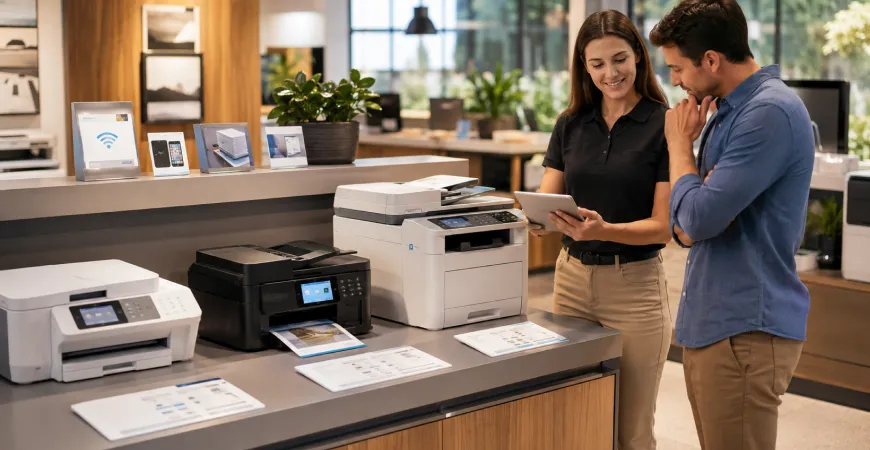
Purchasing a printer involves more than simply selecting a model that fits within a budget or appears suitable at first glance. Modern printers are available with a wide variety of features, technologies, and capabilities, making it important to evaluate what each device offers before making a decision. While many printers may seem similar on the surface, differences in functionality, connectivity, paper handling, and document management can significantly impact the overall user experience.
Understanding which features matter most can help buyers focus on products that align with their daily printing requirements. Whether the printer is intended for home use, business operations, creative projects, or specialized applications, comparing key features can lead to a more informed purchasing decision.
Understanding Your Printing Requirements First
Before comparing printer specifications, it is helpful to identify how the device will be used. Different users often prioritize different features based on their printing habits and workflow requirements.
For example, a student printing assignments may focus on simplicity and wireless access, while a business user may place greater importance on paper capacity and document handling. Similarly, individuals who frequently print graphics and visual content may evaluate printers differently from those who primarily produce text documents.
Having a clear understanding of your printing requirements can make it easier to determine which features deserve the most attention during the comparison process.
Print Technology and Printer Type
One of the first features buyers should consider is the type of printer technology being used. Modern printers are available in several categories, including inkjet, laser, LED, all-in-one, and large format models.
Each category is designed with different use cases in mind. Some are intended to provide versatile document and image printing, while others are focused on supporting frequent document production or larger printing formats. Understanding the purpose of each printer category can help narrow the available options and simplify product comparisons.
Rather than selecting a printer based solely on appearance or price, evaluating the underlying technology can provide a better understanding of how the device may perform within a specific environment.
Print Speed and Output Requirements
Print speed is another feature that often plays an important role when comparing printers. Different users generate different volumes of printed material, making output requirements an important consideration.
A household that occasionally prints personal documents may have different expectations than a workplace that regularly produces reports, invoices, presentations, or operational paperwork. As printing activity increases, efficiency becomes a more significant factor.
Reviewing available print speed information can help buyers identify products that align with their expected workload while supporting smoother day-to-day operations.
Connectivity and Device Compatibility
Modern printing environments often involve multiple devices. Laptops, desktop computers, tablets, and smartphones may all be used to access printing functions within the same workspace.
As a result, connectivity has become one of the most important features to evaluate when comparing printers. Many models now offer wireless connectivity, network access, mobile printing capabilities, and cloud-based integration.
Choosing a printer with connectivity options that support your existing workflow can contribute to greater convenience and flexibility. Compatibility with the devices you use most frequently should also be considered before making a final decision.
Multifunction Capabilities
Many buyers now prefer multifunction printers because they combine several document-related functions within a single device. In addition to printing, these systems may include scanning and copying capabilities.
For home offices and businesses, multifunction features can simplify document management by reducing the need for separate equipment. This can help create a more organized workspace while centralizing common tasks into a single device.
When comparing products, evaluating whether multifunction capabilities are necessary can help focus attention on models that provide the most relevant features.
Paper Handling and Media Support
Paper handling is often overlooked during the purchasing process, yet it can have a significant impact on everyday usability. Different printers support different paper sizes, tray capacities, and media types.
Users who primarily print standard documents may require different capabilities than those who work with presentations, marketing materials, labels, envelopes, or large-format documents. Reviewing supported paper sizes and handling options can help ensure that the printer accommodates both current and future printing requirements.
This feature becomes particularly important for businesses and specialized applications where diverse document types are frequently used.
Print Resolution and Document Quality
Print resolution refers to the level of detail a printer can reproduce. While not every user requires advanced image output, print quality remains an important consideration when comparing products.
Users who frequently print graphics, presentations, visual materials, or detailed documents may place greater emphasis on resolution specifications. Others who primarily print text documents may focus more heavily on readability and consistency.
Comparing print quality features can provide a clearer understanding of how each printer is designed to handle different types of content.
Comparing Features for Long-Term Value
While individual features are important, the most effective approach is to evaluate how those features work together within the context of your daily requirements. A printer that offers the right combination of connectivity, paper handling, multifunction capabilities, print quality, and workflow support may provide greater long-term value than one selected based on a single specification.
Rather than focusing exclusively on one feature, buyers should consider the overall balance of capabilities offered by the device. This broader perspective can help identify products that remain suitable as printing needs evolve.
Making a More Informed Printer Purchase
Comparing printer features before making a purchase can help simplify the selection process and reduce uncertainty. Factors such as print technology, connectivity, paper handling, multifunction capabilities, print quality, and workflow compatibility all contribute to the overall user experience.
By taking the time to evaluate these features carefully, customers can better understand how different printers are designed to support specific requirements. This approach helps create a more informed purchasing process and makes it easier to identify products that align with everyday printing needs, workspace expectations, and long-term usage goals.

Delivery & Shipping
Review available shipping options and estimated delivery information.

Product Guidance
Explore product information and category details across our printer collection.

Secure Checkout
Complete purchases through protected payment processing systems.

Printer Categories
Explore all-in-one, laser, inkjet, LED, and large format printer collections.
Explore Printing Solutions For Every Need
Browse our collection of all-in-one, laser, inkjet, LED, and large format printers.
