
Jun 10 / 26
How to Choose the Right Printer Based on Your Daily Printing Needs
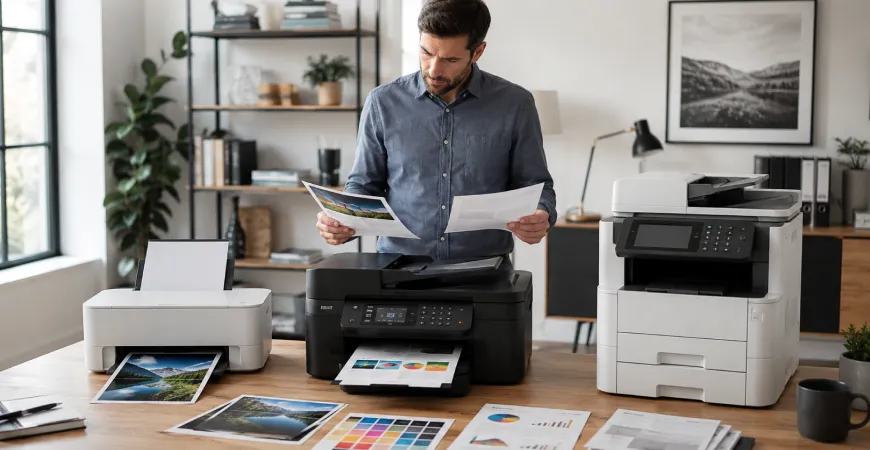
Choosing a printer is not simply about selecting a device that can produce documents on paper. Different users have different printing habits, document requirements, and workflow preferences, making the selection process more important than it may initially appear. A printer that works well for occasional home use may not be suitable for a busy office environment, while a device designed for high-volume printing may offer features that some users never need. Understanding your daily printing requirements can help narrow down available options and make the decision process more straightforward.
Start by Understanding How You Print
Before comparing specifications or exploring printer categories, it is important to evaluate how the printer will be used on a regular basis. Some individuals primarily print text-based documents such as invoices, assignments, or reports, while others may frequently work with graphics, presentations, marketing materials, or photographs. The frequency of use also plays an important role.
For example, a user who prints only a few pages each week may have different priorities than someone who prints hundreds of pages every month. By identifying your typical printing habits, you can focus on products designed to accommodate those requirements rather than becoming distracted by features that may not be necessary.
Consider the Type of Documents You Print Most Often
The nature of the documents you print should heavily influence your decision. Text-heavy documents generally require different capabilities than image-rich materials. If your work involves contracts, reports, forms, and other document-based printing, consistency and readability may become key considerations.
On the other hand, users who regularly print graphics, presentations, charts, or visual content may place greater emphasis on color reproduction and image detail. Understanding what appears on your printed pages most often can help guide your selection toward a printer category that aligns with your everyday needs.
Evaluating Different Printer Technologies
Modern printers are available in several categories, each designed to address different printing requirements. Inkjet printers are often associated with versatility and color-focused output, making them suitable for users who produce a mixture of documents and images. Laser printers are commonly selected for environments where document printing occurs more frequently and where consistent text quality is important.
All-in-one printers combine multiple document-related functions within a single device, allowing users to print, scan, and copy from one system. Large format printers are typically used when standard paper sizes are insufficient and larger visuals, drawings, or presentation materials are required. LED printers provide another alternative for users seeking different printing technologies within professional environments.
Rather than focusing solely on product names, understanding how each technology aligns with your workflow can be more valuable during the decision-making process.
The Importance of Print Volume
Print volume is one of the most overlooked factors when selecting a printer. Every printer is designed with a certain level of usage in mind, and matching your expected printing activity with the capabilities of the device can contribute to a more suitable long-term experience.
A household that occasionally prints school assignments and personal documents will likely have different needs than a business that generates reports and paperwork throughout the day. As printing frequency increases, factors such as efficiency, paper handling capacity, and workflow integration often become more relevant.
Considering your monthly printing habits can help ensure that the selected printer aligns with the demands placed upon it.
Connectivity and Modern Printing Workflows
Today's printing environments extend beyond a single desktop computer. Many users print from laptops, mobile devices, tablets, and cloud-based platforms. As a result, connectivity has become an increasingly important consideration when evaluating printer options.
Wireless connectivity allows greater flexibility in device placement and can simplify access across multiple users. Mobile printing capabilities may also support more convenient document management in environments where users frequently switch between devices. Reviewing available connectivity options can help ensure compatibility with the way you work today and in the future.
Multifunction Features and Everyday Convenience
Many users now prefer printers that perform more than one task. Multifunction devices have become increasingly common because they combine printing, scanning, and copying capabilities into a single system. This approach can simplify document management while reducing the need for multiple devices occupying workspace.
For home offices and small businesses, multifunction capabilities may contribute to a more streamlined workflow by centralizing common document-related activities. Understanding whether these additional functions are necessary can help narrow your options and focus your search on the most relevant products.
Making a More Informed Printer Selection
Choosing the right printer ultimately comes down to understanding your daily requirements and matching them with the appropriate technology and features. Print volume, document types, connectivity preferences, multifunction capabilities, and workspace requirements all contribute to the selection process.
By taking the time to evaluate how and where the printer will be used, customers can approach the decision with greater clarity and identify products that align more closely with their individual printing needs. This thoughtful approach can make the shopping experience more straightforward while helping users focus on features that truly matter to their everyday workflow.

Delivery & Shipping
Review available shipping options and estimated delivery information.

Product Guidance
Explore product information and category details across our printer collection.

Secure Checkout
Complete purchases through protected payment processing systems.

Printer Categories
Explore all-in-one, laser, inkjet, LED, and large format printer collections.
Explore Printing Solutions For Every Need
Browse our collection of all-in-one, laser, inkjet, LED, and large format printers.
