
Jun 10 / 26
How All-In-One Printers Support Everyday Home and Office Tasks
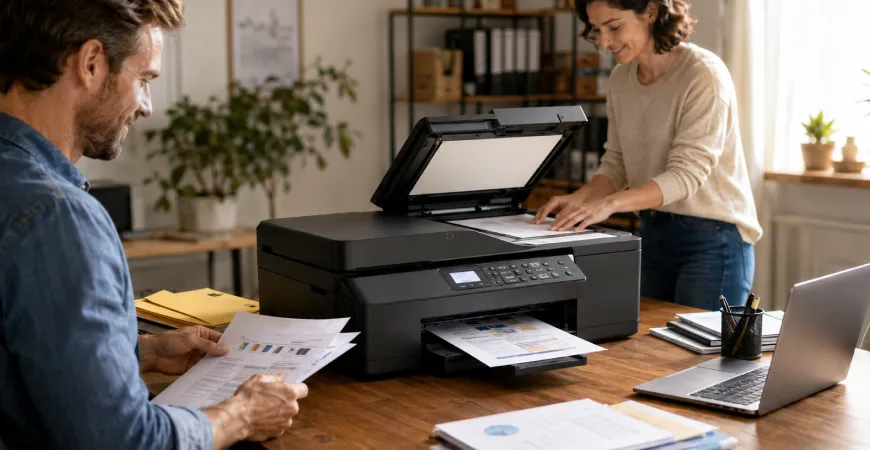
Printing needs have evolved significantly over the years. Many individuals and businesses now require more than just a device that prints documents. Scanning, copying, and document management have become essential parts of everyday workflows, leading many users to explore multifunction devices that combine several capabilities into one system. This is where all-in-one printers have become increasingly popular.
Designed to handle multiple document-related tasks, all-in-one printers provide a practical solution for users seeking convenience and functionality within a single device. Whether used in a home workspace, a small business environment, or a professional office, these printers are commonly selected for their ability to support a variety of everyday activities without requiring separate equipment.
Understanding What an All-In-One Printer Does
An all-in-one printer combines multiple document functions into one machine. In addition to printing, these devices often include scanning and copying capabilities, allowing users to perform several common tasks from a single location.
Rather than maintaining separate devices for different purposes, users can manage a range of document-related activities through one integrated system. This approach can help simplify workflows and reduce the amount of equipment needed within a workspace.
The ability to perform multiple functions makes all-in-one printers suitable for environments where flexibility and convenience are important considerations.
Supporting Everyday Home Printing Requirements
Home users often have diverse printing needs. From school assignments and personal documents to household records and creative projects, printing tasks can vary considerably throughout the week.
An all-in-one printer can support these changing requirements by offering more than just document output. For example, users may need to scan signed forms, copy important paperwork, or create digital versions of physical documents. Having these functions available within a single device can make everyday document management more accessible.
As remote work and online learning continue to influence modern households, multifunction capabilities have become increasingly valuable for users managing both personal and professional responsibilities from home.
Simplifying Home Office Workflows
Home offices often require a balance between functionality and space efficiency. Professionals working remotely frequently handle reports, invoices, contracts, presentations, and administrative paperwork throughout the day.
An all-in-one printer can contribute to a more streamlined workspace by centralizing multiple document functions. Instead of moving between separate devices for printing, scanning, and copying, users can complete various tasks through a single machine.
This integrated approach may help improve workflow organization while reducing the complexity associated with managing multiple pieces of equipment.
Supporting Small Business Operations
Small businesses often rely on document management as part of their daily operations. Customer records, invoices, internal documents, contracts, and reports frequently require printing, copying, or scanning.
All-in-one printers are commonly considered in these environments because they allow teams to perform a variety of document-related tasks without investing in separate devices for each function. This flexibility can be particularly useful for businesses that need adaptable solutions capable of supporting different administrative activities.
By combining multiple capabilities into one system, these printers can help support operational efficiency while maintaining a more organized workspace.
The Value of Scanning and Digital Document Management
One of the most useful features of an all-in-one printer is its scanning capability. Modern workflows increasingly involve both physical and digital documents, making document digitization an important part of everyday operations.
Scanning allows users to create electronic copies of paperwork for storage, sharing, and record management purposes. Whether preserving important documents, organizing files, or transferring information electronically, scanning functionality can play an important role in modern document workflows.
For many users, this feature alone adds significant value to an all-in-one device.
Copying Functions for Everyday Convenience
Copying remains a common requirement across homes, educational environments, and workplaces. From duplicating forms and reference materials to creating additional document sets, copy functionality continues to serve a practical purpose.
Having a built-in copier eliminates the need for a dedicated copying device and allows users to complete routine tasks quickly from the same machine they use for printing and scanning.
This added convenience is one of the reasons many users choose multifunction printers over single-function alternatives.
Connectivity and Modern Work Environments
Today's all-in-one printers often support a variety of connectivity options designed to accommodate modern workflows. Users frequently switch between desktop computers, laptops, tablets, and smartphones throughout the day.
Wireless connectivity and network access can make it easier to share printing resources across multiple users and devices. This flexibility is particularly beneficial in home offices and collaborative work environments where several individuals may need access to the same printer.
As technology continues to evolve, connectivity features remain an important consideration when evaluating all-in-one printer options.
Why Multifunction Printing Continues to Grow in Popularity
The growing popularity of all-in-one printers reflects the changing way people work, study, and manage information. Users increasingly seek solutions that simplify daily tasks while supporting both physical and digital document workflows.
By combining printing, scanning, and copying capabilities into a single device, all-in-one printers provide a practical option for individuals and organizations that value versatility and convenience. Their ability to adapt to a wide range of requirements makes them relevant across many different environments.
Understanding the Role of All-In-One Printers in Modern Workspaces
All-in-one printers continue to play an important role in supporting everyday home and office activities. Their multifunction design allows users to manage various document-related tasks through a single system, helping create more organized and efficient workflows.
Whether printing reports, scanning records, copying documents, or managing administrative tasks, these devices offer a versatile approach to document handling. By understanding the capabilities of all-in-one printers and how they align with daily requirements, users can make more informed decisions when evaluating printing solutions for their home or workplace.

Delivery & Shipping
Review available shipping options and estimated delivery information.

Product Guidance
Explore product information and category details across our printer collection.

Secure Checkout
Complete purchases through protected payment processing systems.

Printer Categories
Explore all-in-one, laser, inkjet, LED, and large format printer collections.
Explore Printing Solutions For Every Need
Browse our collection of all-in-one, laser, inkjet, LED, and large format printers.
